

TL;DR:
- Creating a master inventory and securing physical originals in a fireproof location helps families respond quickly in emergencies. Organizing documents into five accessible folders and maintaining a quarterly schedule prevents backlog and confusion. Using consistent file naming and professional resources streamlines the process, but sustainability depends on simplicity and ongoing attention.
Start by creating a one-page master inventory, gathering originals into one fireproof box, and scanning working copies into a shared folder. Those three actions alone put you ahead of most families, and you can complete the first two this afternoon.
Here is what to do right now:
- Find the originals (30 minutes): Look in filing cabinets, desk drawers, and any "important papers" box your parent keeps. You are not organizing yet, just locating.
- Make a one-page inventory (20 minutes): Write down each document you find, where it lives, and whether a copy exists. A simple notebook page works fine.
- Pick one storage spot (10 minutes): Choose a fireproof box or a single drawer as the permanent home for originals.
- Scan five priority items (30 minutes): Start with the Social Security card, Medicare card, insurance policy, will, and a current medication list. Save them as PDFs to a shared cloud folder.
That is it for today. The rest of this guide builds the full system around those four steps.
Table of Contents
- Why organizing parents' documents matters right now
- What documents should you gather for your parents?
- How do you collect, sort, and build a master inventory?
- Where should you keep originals, copies, and an emergency set?
- How do you scan, name, and back up digital copies securely?
- How do you start the conversation with parents and coordinate with siblings?
- What does a realistic maintenance schedule look like?
- When should you call a professional for help?
- Key Takeaways
- The part most guides skip
- Helping-mom makes this easier than doing it alone
- Authoritative U.S. resources to bookmark
- FAQ
Why organizing parents' documents matters right now
Having your parent's paperwork organized reduces stress and speeds critical decisions when time is short. Think about the moments when documents are needed most: a sudden hospital admission, a trip to a new specialist, a call from an insurance company, or a moment when your parent can no longer speak for themselves. In each of those situations, the difference between a calm response and a frantic search through shoeboxes is whether the right papers are already in one place.
A common scenario: a parent is taken to the emergency room, and the adult child cannot locate the advance directive or the insurance card. The medical team moves forward without knowing the patient's documented wishes, and the adult child spends hours on the phone instead of being present. That is the cost of disorganized paperwork, and it is entirely avoidable.
The good news is that you do not need a perfect system. You need a good-enough system that someone else can use without your help.
What documents should you gather for your parents?
Knowing exactly what to collect is half the battle. Group documents into five folders, which experts recommend as the right number to keep the system flat and maintainable. More categories create a filing system nobody uses.
| Folder | Key Documents | Why It Matters |
|---|---|---|
| IDs & Travel | Passport, driver's license, Social Security card, birth certificate, naturalization certificate | Required for medical, legal, and financial transactions; vital records are hard to replace |
| Health & Medications | Medicare/Medicaid cards, insurance policies, advance directive, medication list, primary care contacts | Needed at every medical appointment and in any emergency |
| Home & Finances | Mortgage or lease, property deed, bank account info, investment statements, utility accounts | Required for bill pay, property decisions, and financial oversight |
| Legal & End-of-Life | Will, power of attorney, trust documents, funeral preferences, beneficiary designations | Governs decisions when your parent cannot make them; advance directives are especially time-sensitive |
| Digital & Account Info | Email login, online banking credentials, subscription accounts, password manager access | Prevents locked-out accounts and ongoing charges after incapacity |
High-priority items to capture first:
- Passport and Social Security card
- Medicare card and supplemental insurance policy numbers
- Current medication list (drug name, dose, prescribing doctor)
- Will and power of attorney documents
- Advance directive or living will
- Primary bank account information
A note on originals vs. copies: Keep physical originals of vital records, including birth certificates, property deeds, wills, and Social Security cards. Vital records stay physical; administrative documents like utility bills and insurance explanations of benefits can live as digital working copies only.
How do you collect, sort, and build a master inventory?
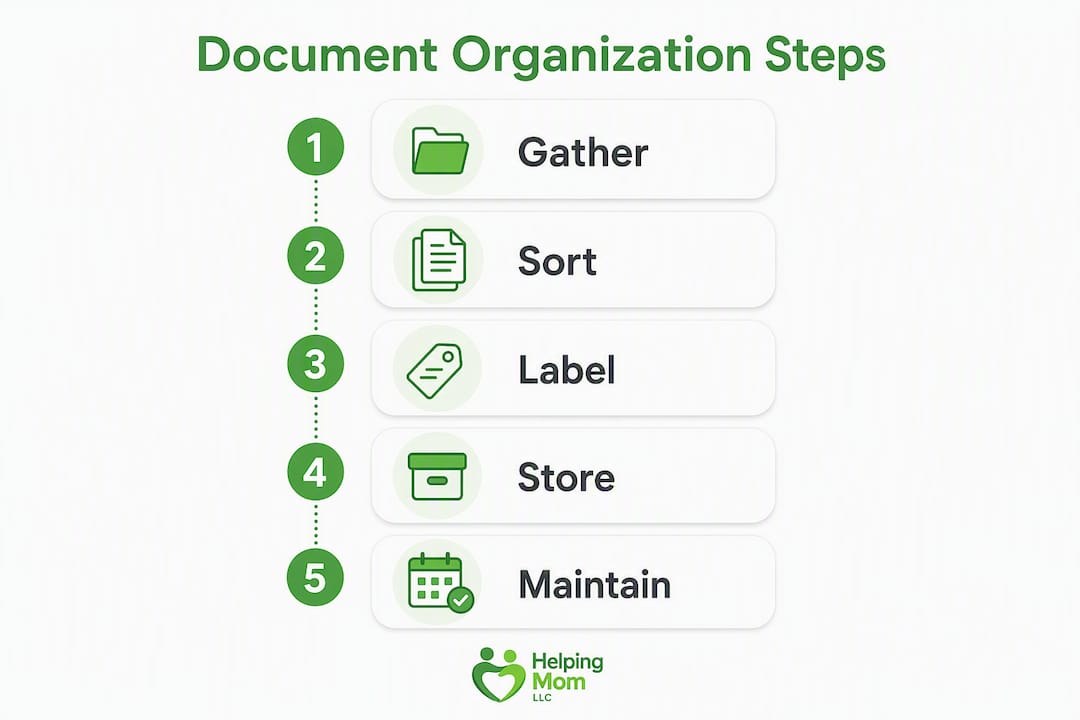
The process works best as a sequence. Trying to sort, scan, and file all at once leads to a pile that sits on the kitchen table for three months.
- Create the master inventory first. Before you touch a single folder, open a spreadsheet or grab a legal pad. List every document you expect to find. This becomes your checklist and your tracking tool.
- Use the three-box method to sort. Pull everything out and place each item into one of three piles: Keep (original stays physical), Scan (make a digital copy, then decide on the original), or Shred (outdated, duplicated, or irrelevant). Sorting incoming paperwork into quick stacks like these reduces decision fatigue and gets papers into a predictable flow.
- Apply the five-folder rule. Once sorted, file physical documents into the five categories above. Resist the urge to add subfolders or subcategories. A flat top-level structure is the one most likely to survive real family life.
- Store originals in one secure location. Everything in the Keep pile goes into a fireproof box or home safe. More on this in the next section.
- Scan working copies into a shared folder. PDFs go into a cloud folder organized by the same five categories.
Master inventory template fields
For each document, capture these fields in your spreadsheet or notebook:
- Document name
- Who holds the original (parent, attorney, bank)
- Location of the original (fireproof box, safe deposit box, attorney's office)
- Digital filename and folder location
- Expiry or renewal date
- Who has access
Practical timing tip: Set aside one 60–90 minute session on a weekend to do the initial sort. Focus first on documents with upcoming expiry dates, such as passports, insurance renewals, and prescriptions. Everything else can follow in a second session.
Pro Tip: Keep the system flat. Five folders is almost always enough. Every extra category you add is one more place something can get lost, and one more reason the system gets abandoned.
Where should you keep originals, copies, and an emergency set?
Keep irreplaceable originals together in one fire-resistant location, and document where they are so anyone in the family can find them without calling you first. That single step, knowing where the originals live, prevents the most common crisis scenario.
Storage options to consider:
- Fireproof home document box: Affordable, accessible, and protects against fire and water. Best for families who need frequent access to originals.
- Bolted home safe: More secure than a document box; protects against theft as well as fire. Good for families with high-value documents or cash on hand.
- Bank safe-deposit box: Highest security, but inaccessible after hours or on weekends, which matters in a medical emergency.
- Trusted family member's home: A copy of key documents held by a sibling or adult child provides a geographic backup.
| Storage Option | Accessibility | Cost | Security | Emergency Use |
|---|---|---|---|---|
| Fireproof home box | High (anytime) | Low ($30) | Moderate (fire/water) | Best option |
| Bolted home safe | High (anytime) | Medium — | High (fire, water, theft) | Good option |
| Bank safe-deposit box | Low (bank hours only) | Low ($20/year) | Very high | Difficult after hours |
Pro Tip: Create a one-page household map, a single sheet listing where originals live, where digital copies are stored, and who has access. Keep one copy inside the fireproof box and give one to the person who would act in an emergency. Update it whenever the system changes.
For the emergency set, prepare a sealed envelope with photocopies of the five highest-priority documents. Keep it somewhere your parent and one trusted family member can reach it without your help, such as a labeled folder in the fireproof box or a copy held by a sibling.
How do you scan, name, and back up digital copies securely?
Scan priority documents first, name files consistently, store them in a shared cloud folder with a simple index, and keep a backup copy in a second location. That is the whole digital workflow.

Naming convention to use:
Name every file using the format: category_subject_YYYY.pdf. For example:
health_medicare-card_2025.pdflegal_will_2024.pdffinance_bank-account-info_2025.pdf
Consistent naming like this makes files searchable and shareable without any explanation needed. PDF is the preferred format for multi-page scans because it preserves layout and is universally readable.
Digital security checklist:
- Use a strong, unique password for the cloud storage account
- Enable two-factor authentication on every account that holds sensitive documents
- Limit sharing to people who genuinely need access
- Store highly sensitive items (Social Security numbers, financial account details) in an encrypted vault rather than a general shared folder
- Keep a second backup copy on an external hard drive stored in a different physical location
Avoiding scan burnout:
Rather than scheduling a marathon scanning session, capture documents at the point of entry and process them in short weekly or quarterly sessions. When a new insurance card arrives in the mail, scan it that day. When a new prescription is filled, add it to the medication list. This habit prevents the backlog from building.
- Scan new documents within 48 hours of receiving them.
- File the digital copy into the correct folder immediately.
- Update the master inventory to reflect the new file.
- Set a calendar reminder if the document has an expiry date.
How do you start the conversation with parents and coordinate with siblings?
The most practical approach is to frame the conversation around safety and speed in an emergency, not around control or planning for death. Most parents respond well when they understand the goal is to make things easier for everyone, not to take anything away from them.
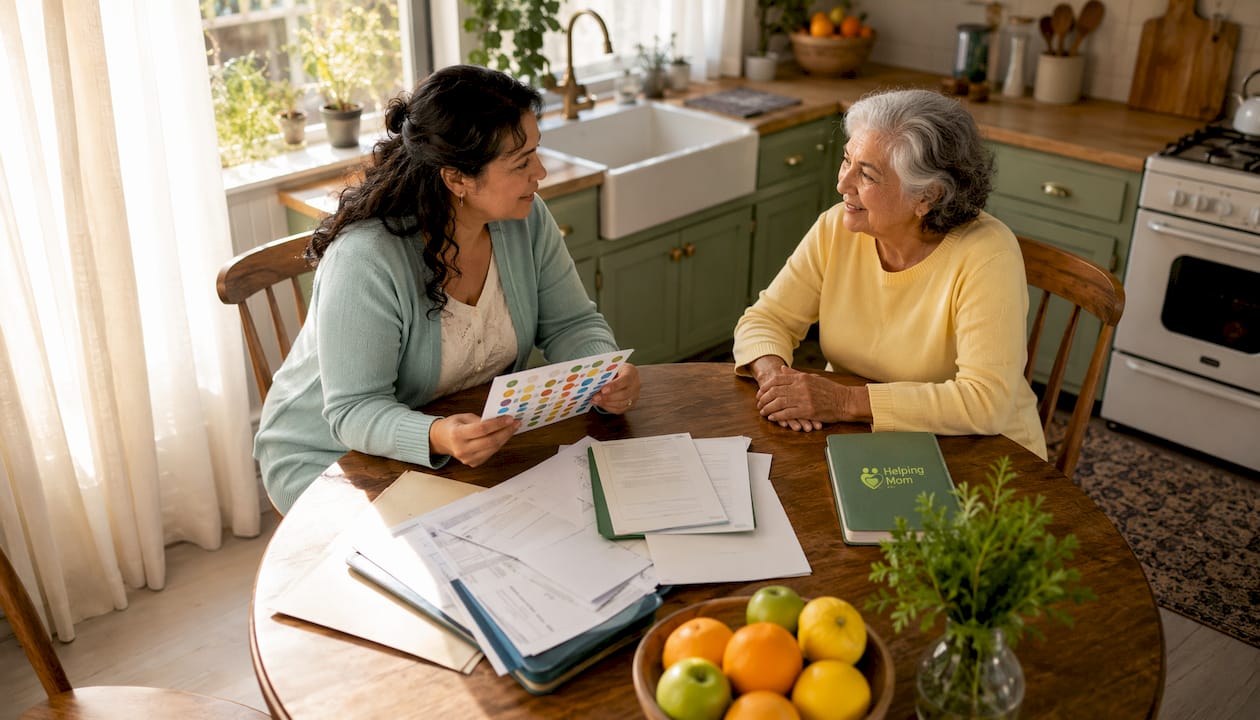
Opening script:
"Mom, I've been thinking about what would happen if there was a medical emergency and I needed to find your insurance card or your doctor's information quickly. Would it be okay if we spent an hour together getting those things organized? It would really give me peace of mind."
If they push back:
"I'm not trying to take over anything. You'd still be in charge of everything. I just want to know where to look if something came up and you couldn't tell me."
If they agree but seem uncertain:
"We can start small. Let's just find the Medicare card and write down your doctor's name and number. That's it for today."
A caregiving binder or a shared digital folder are both good first steps that feel low-stakes to most parents. Starting with something tangible, like a medication list, builds trust before you move to more sensitive documents like the will.
Family role checklist:
- Primary keeper: Who maintains the master inventory and updates it after changes?
- Emergency contact: Who has access to the fireproof box and the household map?
- Digital access: Who knows the cloud folder password and can share files with providers?
- Review partner: Who will do the quarterly check-in alongside the primary keeper?
Pro Tip: Document your parent's consent. A simple note in the master inventory, dated and signed by your parent, stating that they have agreed to share access with named family members, protects everyone and prevents conflict later. Revisit it annually.
For families with multiple siblings, a family meeting is the cleanest way to assign roles and prevent duplication or conflict. Assign one person per role, not one role per person.
What does a realistic maintenance schedule look like?
The system only works if someone maintains it. The good news is that maintenance takes far less time than the initial setup. A quarterly 20-minute reset prevents accumulation and keeps expiry dates current.
Suggested cadence:
- Weekly (10–20 minutes): Scan any new documents that arrived. Update the medication list if anything changed. File digital copies immediately.
- Quarterly (20–45 minutes): Review the master inventory. Rename or purge duplicate files. Check for upcoming expiry dates. Update the household map if anything moved.
- Annual (60–90 minutes): Full review of all five folders. Confirm that legal documents still reflect your parent's wishes. Check beneficiary designations. Shred outdated paperwork.
Quarterly reset checklist (copy this into your calendar):
- Scan any documents received since the last reset
- Rename files that were saved with temporary names
- Delete duplicate scans
- Check passport, insurance, and prescription expiry dates
- Update the household map if storage locations changed
- Confirm that all named contacts and access holders are still current
Linking documents to renewal reminders is one of the most underused habits in family document management. Set a calendar reminder six months before a passport expires, three months before an insurance renewal, and one month before a prescription needs refilling. The document becomes a prompt for action, not just a stored item.
You can use the caring for aging parents checklist at Helping-mom to build this maintenance rhythm into your broader caregiving routine.
When should you call a professional for help?
Call a professional when documents are missing, contested, or when you are unsure whether your parent has the legal capacity to sign anything. Those three situations go beyond what a filing system can solve.
Common triggers that signal it is time to get help:
- You cannot locate a will, and your parent cannot remember whether one exists
- A power of attorney document is outdated or names someone who has died
- You notice repeated financial errors, unexplained withdrawals, or signs of financial exploitation
- Your parent has been diagnosed with a condition that affects memory or decision-making, and legal documents have not been updated
- Siblings disagree about who has authority to act
| Situation | Who to Contact |
|---|---|
| Missing or outdated will | Estate attorney or elder law attorney |
| Power of attorney questions | Elder law attorney |
| Suspected financial abuse | Adult Protective Services, elder law attorney |
| Tax or financial account issues | Certified Public Accountant (CPA) |
| Care coordination and capacity concerns | Geriatric care manager |
| Local in-home resources | Local Area Agency on Aging |
Before any professional call, prepare your master inventory, copies of the relevant documents, and a brief timeline of events. That preparation cuts the consultation time in half and makes the conversation far more productive. Your elder care planning guide can help you identify which professional fits your situation.
If you are arranging in-home care alongside document organization, a guide to in-home care coordination can help you understand what paperwork providers typically need and how to have it ready.
Key Takeaways
A sustainable system for organizing your parents' documents comes down to five actions: build a master inventory, secure originals in one fireproof location, scan working copies with consistent file names, set a quarterly maintenance cadence, and know when to call a professional.
| Point | Details |
|---|---|
| Build a master inventory first | List every document, its location, and who has access before you file anything. |
| Secure originals in one place | A fireproof home box is the most accessible option for emergency use. |
| Name digital files consistently | Use the format category_subject_YYYY.pdf so anyone can find and share files. |
| Maintain on a quarterly cadence | A 20–45 minute quarterly reset keeps expiry dates current and prevents backlog. |
| Helping-mom supports the process | Helping-mom offers printable checklists, templates, and paid consultations to guide setup at every stage. |
The part most guides skip
There is a tendency in caregiving content to treat document organization as a one-time project with a satisfying finish line. In practice, it is a living system, and the families who maintain it well are the ones who stopped trying to make it perfect and started making it sustainable.
The most common mistake is building a system that is too detailed to maintain. Deep folder hierarchies, elaborate color-coded binders, and multi-tab spreadsheets look organized on day one and become abandoned by month three. The families who actually use their systems are the ones who kept it simple: five folders, one naming rule, one quarterly check-in.
The second thing most guides underestimate is the emotional weight of the conversation. Getting your parent's documents organized is not just a logistics task. It asks your parent to acknowledge that there will be a time when they cannot manage things themselves. That is a significant moment, and it deserves patience. Starting with something low-stakes, like a medication list or an insurance card, builds trust before you get to the harder documents.
If you are feeling uncertain about where to start, that is completely normal. The aging parent checklist at Helping-mom is a good first step that takes the guesswork out of the initial setup.
Helping-mom makes this easier than doing it alone
Pulling together your parent's paperwork is manageable, but it is much faster with the right tools. Helping-mom offers free printable checklists and document inventory templates you can use today, along with paid one-on-one Zoom consultations for families who want a guided walkthrough of the full setup process.
If you are local to Central Florida, an in-person home safety assessment can also help you identify where documents and emergency information should be stored within the home itself. The goal is a system your whole family can use, not just the one person who set it up.
Start with the home safety for aging parents resource page to see the full range of tools and consultations available. If you are ready to work through the document setup with support, book a Zoom consultation directly from that page.
Authoritative U.S. resources to bookmark
These sources are worth having on hand as you work through the process:
- USA.gov: The starting point for replacing vital records, including birth certificates, naturalization certificates, and Social Security cards. Search by document type and state.
- National Institute on Aging (NIA): Plain-language guidance on advance directives and health care planning documents. Use this to understand what an advance directive covers before you look for your parent's copy.
- Medicare.gov: Official source for Medicare forms, publications, and replacement card requests. Useful when insurance documents are missing or outdated.
- AARP Caregiving Legal Checklist: A practical checklist of legal documents every caregiver should locate and review. Good for cross-referencing your master inventory.
- Local Area Agency on Aging: Search "Area Agency on Aging" plus your parent's county to find local in-home resources, legal aid referrals, and geriatric care managers. No cost to contact them.
FAQ
How do you organize an elderly parent's papers?
Start by sorting everything into three piles: Keep, Scan, and Shred. Then file physical originals into five labeled folders (IDs, Health, Home and Finances, Legal, Digital Accounts) and scan working copies into a shared cloud folder using a consistent naming format.
What documents should every family have organized?
The highest-priority documents are the Social Security card, Medicare card, insurance policies, current medication list, will, power of attorney, and advance directive. Keep originals of vital records physical and scan administrative documents as working copies.
Are there free tools to help organize family documents?
Yes. Helping-mom offers free printable checklists and inventory templates at helping-mom.com. For digital storage, any cloud service with folder organization and sharing features works well; the naming convention matters more than the platform you choose.
How often should you update a parent's document system?
A quarterly 20–45 minute reset is enough to keep the system current. Set calendar reminders six months before any document expires, such as a passport or insurance policy, so renewals never catch you off guard.
How do you organize family history documents?
Group them by person and decade using the same flat folder structure. Scan fragile originals and store them in a labeled digital folder. Physical originals of historical documents, like old deeds or military records, belong in an archival-quality sleeve inside the fireproof box.