
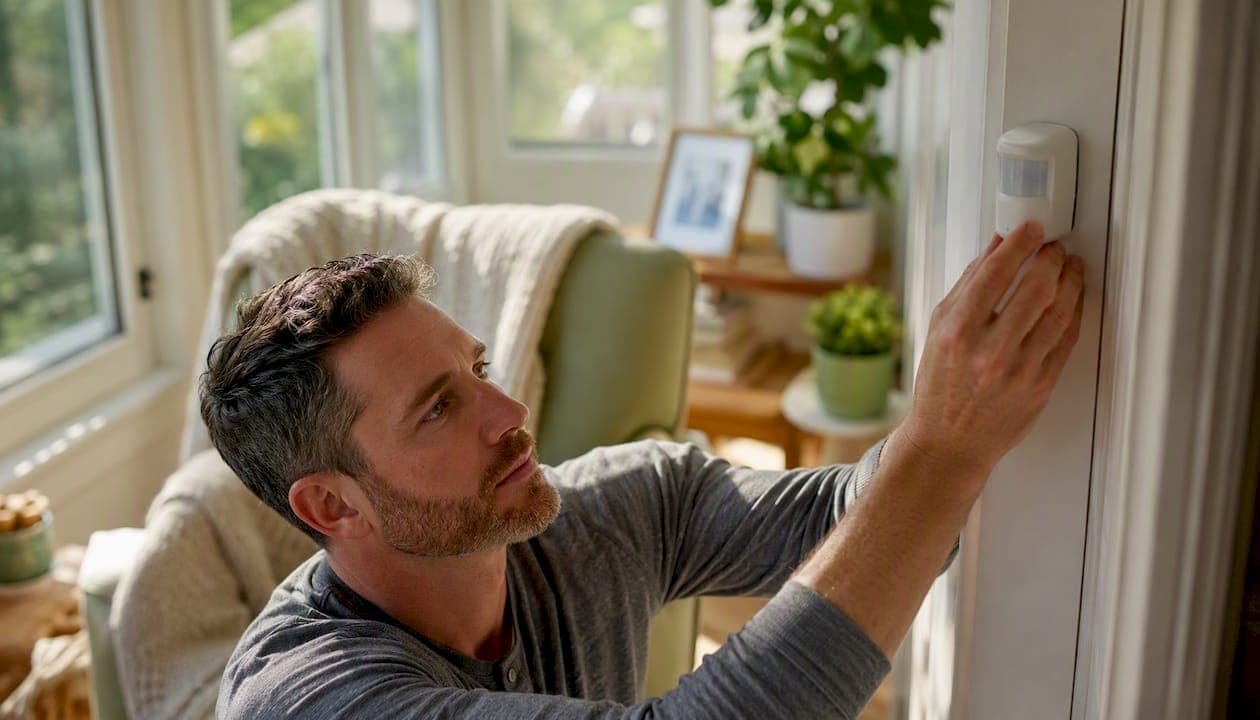
Yes, non-medical home monitoring genuinely helps most families. It won't fix everything, and it isn't right for every parent on day one, but the evidence and the lived experience both point the same direction: awareness beats worry. A 1-year passive monitoring trial found caregivers felt their loved one could safely stay home longer, and the Smarter Safer Home RCT showed measurable quality-of-life gains at six months. Helping-mom's own home safety guides walk families through the same starting point we recommend here. Start with one sensor, in one room, for one month.
Key Takeaways
Non-medical home monitoring works best when families start with low-intrusion sensors, agree on clear privacy rules, and treat the technology as backup for connection, not a replacement for it.
| Point | Details |
|---|---|
| Start with low-intrusion sensors | Motion and door sensors solve most early concerns with less privacy friction than cameras. |
| Set clear rules before installing | Agree on who sees alerts, retention limits, and camera locations in writing. |
| Run a 30-day trial first | A short trial with one sensor builds trust and reveals whether the system actually helps. |
| Expect real but bounded benefits | Evidence shows peace of mind and short-term quality-of-life gains, with mixed long-term data. |
Table of Contents
- What Are the Real Benefits of Home Monitoring for Families?
- What Are the Main Benefits Caregivers Report?
- Which Type of Monitoring Solves Which Problem?
- How Do You Protect Privacy and Dignity While Monitoring?
- How Should You Bring Up Monitoring With Your Parent?
- What Do Monitoring Systems Cost and How Long Does Setup Take?
- Should You Try Home Monitoring Right Now?
- Helping-Mom's Perspective: Safety Without Losing Sight of Dignity
- Sources
- FAQ
What Are the Real Benefits of Home Monitoring for Families?
We're talking about non-medical, dignity-focused monitoring here, not clinical remote patient monitoring that sends vital signs to a doctor's office. This is about ambient motion sensors, door sensors, bed or pressure sensors, personal emergency response systems (PERS), medication reminders, and, when everyone agrees it's appropriate, non-intrusive cameras.
These tools cover a specific set of everyday worries: a fall in the bathroom, a wandering episode at 2 a.m., a door left open, missed medication, or a routine that's quietly changing. What they don't cover is anything clinical. No heart rate tracking sent to a physician, no blood pressure logs, no diagnosis of any kind. Just practical awareness for the people who love someone and can't always be in the room with them.
What Are the Main Benefits Caregivers Report?
The benefit families feel first, and most, is relief from constant guessing. Instead of wondering whether Mom got up okay this morning, a quick glance at an app tells you the kitchen light came on at 7:15, same as always. That single shift, from worry to information, is the biggest advantage non-medical monitoring offers, and it shows up again and again in caregiver research.
A study on passive remote monitoring found it helps caregivers manage responsibilities, especially those who live apart from their parent, by giving them situational awareness that reduces anxiety and burden. That matters most for adult children juggling jobs, kids, and a two-hour drive to their parent's house. You stop calling three times a day "just to check." You start calling because you actually miss them.
Caregivers in one interpretative phenomenological study described exactly this kind of trade. One theme that came through clearly:
Monitoring gave caregivers peace of mind and improved how they communicated with their aging relative, though they stayed alert to privacy concerns and the risk of leaning on the technology instead of real connection.
The controlled evidence backs this up, with limits. The Smarter Safer Home trial found participants using an in-home monitoring platform showed real improvement in social care–related quality of life at six months. By twelve months, that effect softened. Long-term outcomes are still an open question, and a 2024 systematic review of 163 studies confirmed the same pattern: real support for independent living and self-management, alongside real barriers around usability, social acceptance, and cost.
None of this works on autopilot. The families who get the most out of monitoring set it up with intention, custom alerts for what actually matters, not a system that pings your phone every time a cat walks past a sensor. Constant alarms create fatigue. Thoughtful notifications create trust.
Which Type of Monitoring Solves Which Problem?
Pick the tool based on the actual worry, not the flashiest gadget.
- Passive motion sensors: low intrusion, roughly $20 to $50 per sensor. Best for noticing changes in routine, like more nighttime trips to the bathroom.
- Door and window sensors: low intrusion, similar price range. Best for wandering concerns or confirming a parent hasn't left the house unexpectedly.
- Bed or pressure sensors: low to medium intrusion. Best paired with motion sensors when nighttime falls are the main worry.
- PERS or emergency pendants: low intrusion, often $20 to $40 monthly. Best for immediate falls or medical emergencies when your parent is alone.
- Medication reminders and two-way check-ins: low intrusion. Best for missed-dose worries without a full monitoring system.
- Smart plugs or energy monitors: low intrusion. Best for confirming appliance use, like whether the stove was turned off.
- Cameras: medium to high intrusion. Best reserved for specific, agreed-upon needs, not general oversight.
Pro Tip: Start with motion and door sensors before you ever consider a camera. They solve most early concerns, and research on contactless monitoring acceptance shows caregivers and older adults both find these far less invasive than cameras or audio devices.
How Do You Protect Privacy and Dignity While Monitoring?
Privacy risks are real, but they're manageable with clear rules and the right tools. This isn't a reason to skip monitoring. It's a reason to set it up carefully.
Build a short agreement before anything gets installed:
- No cameras in bathrooms or bedrooms unless your parent explicitly agrees otherwise.
- Set a data retention limit, so footage or logs don't pile up indefinitely.
- Decide exactly who receives alerts, one sibling, a small family group, or a caregiver.
- Agree on notification cadence so it's meaningful updates, not a firehose of pings.
- Confirm who has access to the device settings and app, and lock it down accordingly.
Frame the whole thing as support for independence, not oversight. That framing shift is exactly what research on caregiver readiness says determines whether a parent accepts the idea or feels like they're being watched by a "big brother" system. On the technical side, favor local-only sensors when they're available, and choose systems with a clear, published data policy and encryption.
How Should You Bring Up Monitoring With Your Parent?
Lead with a trial, not a system. A 30-day test with one sensor gives your parent a real say, and nobody feels ambushed by hidden tech.
- Prepare. Choose one small, low-stakes sensor, like a door sensor on the front entry.
- Ask. Try something like, "Would you be open to trying one small sensor for a month, just so I worry less?"
- Trial. Run it for 30 days, then sit down together and talk through how it felt.
- Agree on rules. Write down who sees the data, what triggers an alert, and how long you'll keep information.
- Review. Set a recurring check-in date, and make it clear they can opt out any time.
For a hesitant parent, try: "This isn't about watching you. It's one less thing I lie awake worrying about." For a parent who's open but privacy-conscious: "We can start with just the front door sensor, no cameras, and you'll see exactly what I see."
What Do Monitoring Systems Cost and How Long Does Setup Take?
Budget matters as much as the tech itself, and it scales with how much coverage you want. A basic kit with a couple of sensors runs about $100 to $300. A mid-tier setup with several sensors and app integration lands closer to $300 to $800. Whole-home systems with professional monitoring and a subscription often start around $800 and climb from there.
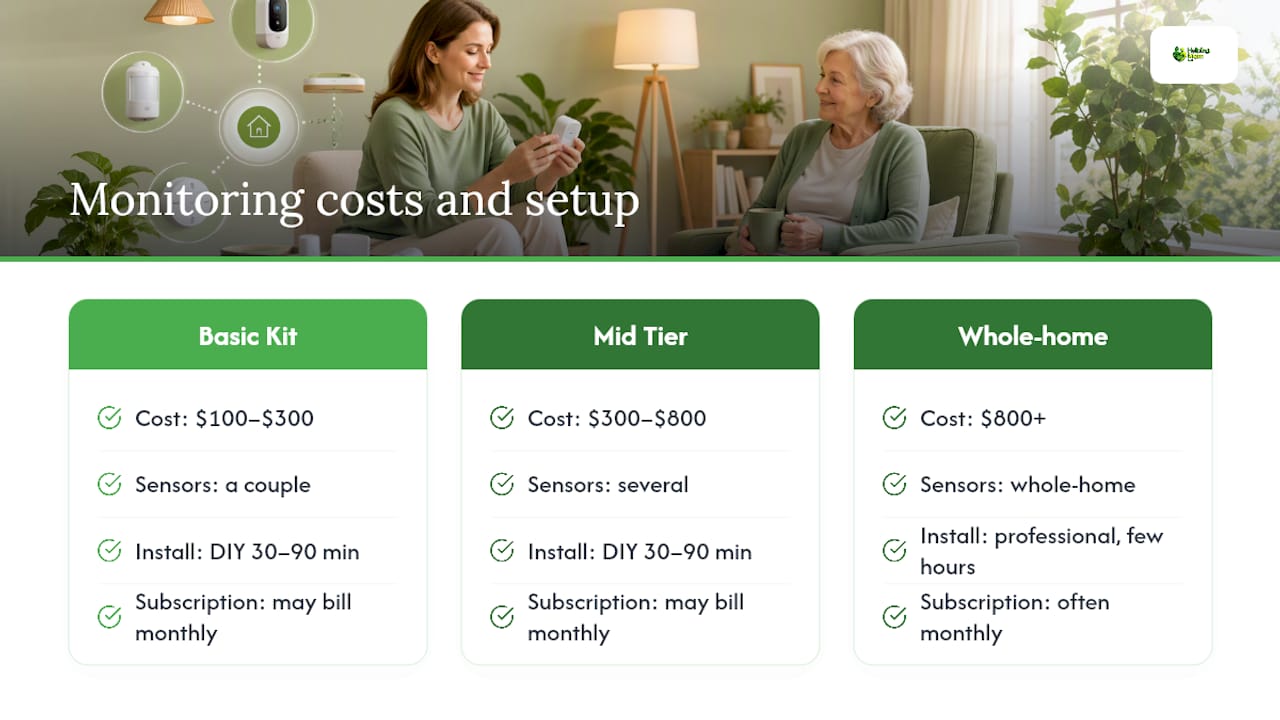
DIY installation for a handful of sensors typically takes 30 to 90 minutes. Professional installation takes a few hours but usually includes configuration and a walkthrough for the whole family. Watch for recurring costs too: cloud storage, monitoring subscriptions, and premium app features often bill monthly on top of the upfront hardware price.
Should You Try Home Monitoring Right Now?
Run through this six-item check before you buy anything:
- The main safety concern is identified (falls, wandering, missed meds, isolation).
- Your parent is willing to try a 30-day trial, not a permanent system.
- You've picked one starting location or one sensor type.
- Consent and rules are written down, not just discussed.
- The notification plan is set, so alerts go to the right person at a sane frequency.
- A review date is on the calendar before you start.
After 30 days, decide together: keep it as is, adjust the alerts, or stop entirely. If you want a done-for-you version of this checklist, Helping-mom's free elder care checklist walks through the same steps in a printable format.
Helping-Mom's Perspective: Safety Without Losing Sight of Dignity
We think about monitoring the same way we think about most caregiving tools: it should support your parent's independence, not replace your relationship with them. The technology is only as good as the conversation that comes before it.
Our technology comparison guide for aging parents breaks down device options in more depth, and if you want help building a plan that fits your specific family, a short consult can save you weeks of second-guessing. Start small. Talk it through. Adjust as you go.
Sources
The Smarter Safer Home RCT offers controlled trial evidence on quality-of-life gains. The Frontiers contactless-monitoring survey shows which sensor types caregivers actually accept. A qualitative caregiver study captures the real emotional tradeoffs. For practical next steps, see Helping-mom's motion sensor versus camera guide.
- Passive remote monitoring helps caregivers manage care responsibilities
- Understanding acceptance of contactless monitoring technology in home-based dementia care: a cross-sectional survey study among informal caregivers
- Remote Monitoring Technologies in Dementia Care: An Interpretative Phenomenological Analysis of Family Caregivers’ Experiences
- Randomized controlled trial evaluating the Smarter Safer Home (SSH) platform
- Systematic review of smart home health technologies: benefits and barriers
FAQ
Does home monitoring actually reduce caregiver stress?
Research on passive remote monitoring found it reduces caregiver burden and anxiety by providing situational awareness, especially for caregivers who live apart from their parent.
Are cameras necessary for effective home monitoring?
No. Most caregivers and older adults rate cameras as more intrusive than motion or door sensors, and survey research shows non-camera sensors are widely accepted for emergency and nighttime monitoring.
How much does a basic home monitoring setup cost?
A basic kit with a few sensors typically costs $100 to $300, while whole-home systems with professional monitoring and subscriptions often start around $800.
How long should a monitoring trial run before deciding?
A 30-day trial gives enough time to see real patterns and lets your parent weigh in honestly before you commit to a permanent setup.