
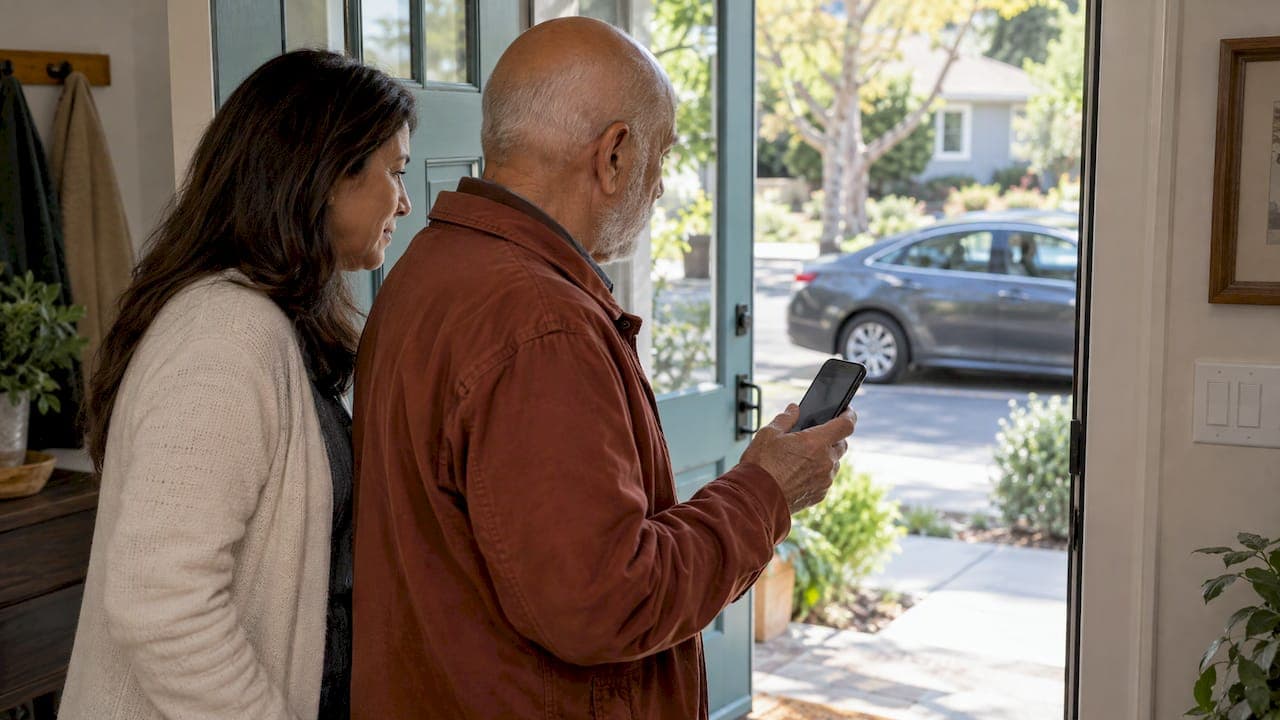
Rideshare can be a safe, dignified way for an older parent to keep getting to appointments, errands and family visits. The safest rides come from a few small habits: book from indoors, confirm the car and driver before getting in, share the trip with someone you trust, and plan extra time so nobody rushes. This guide walks through each step in plain language, so you can help without taking over.
If your parent has recently cut back on driving, you may feel two things at once: relief that there is an option, and a quiet worry about strangers and smartphones. Both are reasonable. A little preparation answers most of the worry.
TL;DR
- Request the ride from inside the home, then wait indoors until the driver arrives, and plan an extra 20 to 30 minutes so no one hurries.
- Before getting in, match the license plate, car and driver photo to the app, and ask the driver "Who are you here to pick up?" rather than offering a name.
- Sit in the back seat, buckle up, and share the trip with a family member who can follow along.
- Uber and Lyft both offer senior-friendly options, including family booking, simplified apps and phone booking.
- Talk through mobility aids, door-to-door help and backup plans before the first ride, not during it.
Table of Contents
- Why a short setup conversation matters
- Setting up the app so it works for your parent
- Before the ride: plan for pickup
- Confirming the right car and driver
- During the ride
- Spotting common scam signals
- Drop-off and the walk back inside
- Mobility aids and accessibility
- When your parent does not use a smartphone
- A worked example: Dolores and her Tuesday appointment
- When another option fits better
- Our perspective
- Get a second set of eyes on the whole trip
- FAQ
- Sources
Why a short setup conversation matters
Most rideshare problems are small ones: a missed pickup, a driver who did not realize your mom uses a walker, a phone that died before the ride home. A ten-minute conversation ahead of time prevents most of them.
Sit down together, ideally at the kitchen table with the phone in hand, and cover three things:
- Who books the ride. Your parent, you, or both, depending on comfort with the app.
- Who follows along. One trusted person who will watch the trip and expect a quick check-in text.
- What the backup is. A neighbor, a local senior ride program, or you on the phone if something goes wrong.
This is not about taking control. It is about walking alongside your parent while they keep doing the thing that matters most: going where they want to go.
If you are also weighing whether a parent should still be behind the wheel, our guides on when to stop driving and aging parent driving safety can help with that conversation. For the bigger picture of getting around, see what senior transportation includes.
Setting up the app so it works for your parent
Both major apps have versions built with older riders in mind.
Uber senior accounts
With an Uber senior account, a family member can add a parent to their Family profile, book and pay for rides on their behalf, manage saved places, and use live trip tracking with the ability to contact the driver. The same page describes a Simple mode with larger text and clearer icons, pickup preferences such as having the driver call out your name, honk or flash lights, and Easy entry vehicles with a lower step-in.
Privacy matters here too. According to ConnectSafely, the rider can decide how much a family member sees, such as whether trips are tracked in real time or whether a trusted contact can communicate with the driver, and the driver receives no demographic information about the passenger. That helps your parent feel like a rider, not a person being monitored.
Lyft Silver
Lyft Silver is a simplified version of the Lyft app for independent older adults. It offers live phone support during working hours and the option to share ride details with trusted contacts.
Booking on someone's behalf
The federal Care Navigator notes that both Uber and Lyft let a family member or caregiver request a ride for an older adult, and both apps can share ride details with others for an extra layer of safety.
A few practical setup habits:
- Save the home address, the doctor's office, the pharmacy and a favorite grocery store as places.
- Keep the phone charged, and keep a charger in the purse or bag.
- Add your number as the trusted contact.
- Do one practice booking together, with you sitting next to your parent.
Before the ride: plan for pickup
Pickup is where many older riders feel the most pressure, because the driver is waiting and the clock is running.
The Care Navigator suggests planning an extra 20 to 30 minutes so your parent can use the restroom and walk to the pickup spot without hurrying, which lowers fall risk. It also advises waiting inside the home or building you are leaving.
That last point is supported across the board. NHTSA notes that pickup spots for ride-hailing are not usually centralized, so choose a place where you can wait inside until the driver arrives. If that is not possible, pick an area away from the roadway, well lit, where the driver can stop safely. It also advises never stepping into the road to flag down a ride.

Steady footing matters on the walk out the door. If balance is a concern, balance training for seniors covers exercises that help reduce fall risk, and our guide to keeping seniors safe outdoors covers steps, walkways and weather.
A simple pre-ride checklist
| Before leaving | Why it helps |
|---|---|
| Request the ride from indoors | No waiting at the curb |
| Add 20 to 30 minutes | Time for the restroom and a slow walk |
| Phone charged, charger packed | Avoids being stranded on the way home |
| Cane, walker or other aid ready by the door | Nothing is forgotten in a rush |
| Text a trusted person the plan | Someone knows where your parent is going |
Confirming the right car and driver
This is the single most important habit. Every source we reviewed says some version of it.
Before getting in:
- Check the license plate, car make and model, and driver photo against the app. Uber's rider safety tips list these checks.
- Ask the driver who they are here to pick up. Uber suggests asking, "Who are you here to pick up?" so the driver says the name first. The Care Navigator also suggests asking the driver's name and confirming the destination address.
- Do not offer your name first. AAA advises asking the driver your name rather than giving yours. The same page describes the #WHATSMYNAME campaign, created in honor of a college student who was killed in 2021 after getting into a car she mistook for her ride. It is a hard story, and it is the reason this one habit is worth practicing.
Uber's PIN verification adds another layer. As SeniorSite explains, you receive a four-digit code for each ride and the driver must enter it before the trip starts. If your parent's account has it available, turn it on.
A simple card in the wallet helps: "1. Plate. 2. Car. 3. Driver photo. 4. Ask who they are here for." Practice it once at home and it becomes automatic.
During the ride
Once the car is confirmed, the rest is simple.
- Sit in the back seat and buckle up, even for a short trip. Both NHTSA and Uber stress the seat belt.
- Follow the route on your own map app, a tip from the University of Michigan's public safety division, which also advises keeping personal information private and never paying cash.
- Stay awake and alert, as Safe Mobility Florida puts it. That brochure also suggests asking a friend or caregiver to ride along on the first trip and telling someone where you are going.
- Trust the feeling. AAA advises ending the ride if something feels off.
The three-text check-in
The Care Navigator suggests your parent text or call a designated family member when the driver arrives, when safely in the vehicle, when arriving at the destination, and when back home. A description of the vehicle can be included if desired.
That is four short messages. If your parent finds texting hard, agree on a tap-and-send message saved in the phone, or let trip sharing do the work. According to SeniorSite, trip sharing lets family follow the journey in real time without needing the Uber app themselves.
If something feels wrong
The Care Navigator recommends calling 911 if your parent feels unsafe in a vehicle or while waiting. If they cannot dial, they can text a family member the driver's information and their location. Say this out loud in your setup conversation so it is not a surprise on the day.
Spotting common scam signals
Most drivers are simply doing a job. Still, one red flag is easy to teach. Active Aging Daily warns that a driver who asks you to call or text them instead of using the app may be trying to get personal information or charge extra fees. It advises canceling through the app, or calling the emergency number if behavior seems suspicious.
So the rule for your parent is easy: keep communication in the app, and never give out card numbers, passwords or personal details.
Drop-off and the walk back inside
Drop-off is the other moment where falls happen, because the car door, the curb and the front steps all arrive at once.
Talk through these before the first ride, and mention them to the driver when the ride starts if needed:
- Whether the driver can drop your parent at the front door, or escort them in.
- Where the car will stop, ideally a spot without a high curb.
- That your parent will wait for the car to be fully stopped before unbuckling.
- A text to you when they are safely back home.
If your parent needs physical help getting in and out of a vehicle, please do not improvise. Our guide on how to lift seniors safely explains what is safe for a family member to try. A rideshare driver is not trained as a caregiver.
Mobility aids and accessibility
This is the part families tend to discover the hard way. Before a ride with a walker, cane or wheelchair, the Care Navigator suggests asking whether the driver can store the aid safely, whether they are trained to help with transfers, what transfer help they can offer, and whether they will drop your parent at the door or walk them in.
The apps have options that can help:
| Option | What it offers |
|---|---|
| UberAssist and Uber WAV | Uber WAV provides wheelchair-accessible vehicles at a price comparable to UberX, per Uber |
| Lyft Silver Select | Easy entry and exit car, top-rated drivers, and a seven-minute wait, per Lyft |
| Lyft Access | Wheelchair-accessible for fixed-frame wheelchairs, with up to two additional passengers |
| Lyft Assisted rides | Door-to-door help and loading of light mobility devices, but only for Lyft Healthcare customers in select markets, per Lyft |
Availability depends on your city, so check the app for what appears at your parent's address.
When your parent does not use a smartphone
Not using a smartphone does not mean not using rideshare. Uber's senior page says you can request rides by phone at 1-833-USE-UBER (833-873-8237). AARP's Senior Planet adds that people without a smartphone can book on a computer or call a ridesharing service directly, and lists friends and family, local taxis and community senior services as other routes.
You can also book for your parent from your own phone, even from another state, and then share the trip so you see the same pickup they do.
A worked example: Dolores and her Tuesday appointment
Here is how this can look in practice, using a composite scenario rather than a real family. Dolores is 79, uses a folding walker, and has a 10:30 a.m. appointment across town. Her daughter, Anne, lives an hour away.
- The night before, Anne books the ride from her phone through the family profile and shares the trip with herself. Dolores keeps the ride booked for 9:30.
- At 9:00, Dolores sits in the front hall with her purse, walker and a charged phone, so there is no scramble.
- When the car arrives, Dolores checks the plate against the app, then asks the driver, "Who are you here to pick up?" She mentions that her walker folds and needs to go in the trunk.
- She sits in the back, buckles up, and texts Anne a one-word message from a saved draft.
- Anne watches the dot move on the map, and texts back a heart.
- For the ride home, Dolores books a return trip from the office lobby, not the curb.
Nothing dramatic happens, which is the point.
When another option fits better
Rideshare is one tool, not the only one. The Care Navigator notes that senior transportation may come through a city, town or village, and that a bus, train or subway can be the easiest and most familiar choice for some seniors who live in neighborhoods with service. If rides are frequent, a local program may be easier to rely on, and a family member riding along may be right for the first few trips. Our senior transportation guide walks through the options.
One more thing worth knowing: according to Active Aging Daily, Uber's Rider Protection program provides up to $1 million in coverage for bodily injury or death, and Lyft's similar program offers up to $1 million in liability insurance per accident. It is reassuring background, but it does not replace the habits above.
Our perspective
In our experience, families rarely struggle with the rideshare app itself. They struggle with the moments around it: the rush to the curb, the walker that will not fit, the front steps after drop-off.
That is why we look at the whole trip, starting with the home. A clear path to the door, good lighting, a seat to wait on and a safe spot by the entrance make every ride calmer. Those are the kinds of details our home safety assessments and virtual consultations are designed to help families notice.
Our approach is simple. Respect your parent's independence, remove the small hazards, and agree on a plan together. When a trip feels easy, your parent keeps saying yes to the doctor, the church group and the grocery store.
Mike C.
Get a second set of eyes on the whole trip
If you would like help thinking through your parent's transportation, home exit and fall risks, the Caregiving Clarity Session is a one-time 1:1 conversation for $97. For a look at the entrance, steps and walkways your parent uses every day, see our in-home safety assessments in Central Florida or our virtual home safety consultations. You can also start with our free aging in place checklist.
FAQ
How do I use Uber for a senior who is not comfortable with apps?
You can set up a senior account through your own Family profile, book and pay for rides for your parent, and follow the trip live. Your parent can also request rides by phone at 1-833-USE-UBER. Start with one practice ride while you sit beside them.
Which is better for seniors, Lyft or Uber?
Both have options for older riders. Uber offers senior accounts, Simple mode and phone booking, while Lyft Silver offers a simplified app with live phone support during working hours. Check which one has easy-entry or accessible vehicles at your parent's address, and choose the one your parent finds easiest to use.
What should a senior do if they feel unsafe in a rideshare?
The Care Navigator advises calling 911 if you feel unsafe in a vehicle or while waiting. If calling is not possible, text a family member the driver's details and your location. Decide on this plan before the first ride so it is familiar.
Should a family member ride along the first time?
It can help. Safe Mobility Florida suggests considering a friend or caregiver for the first trip. It lets your parent learn the pickup, the seat belt and the drop-off with someone beside them, then ride alone when it feels comfortable.
Sources
- Transportation Safety Tips for Seniors, LTCFEDS Care Navigator
- Transportation Resources for Seniors, LTCFEDS Care Navigator
- Ways to Get Home Safely, NHTSA
- Safety Tips for Riders, Uber
- Senior accounts for Uber Rides
- Guide to Uber Senior Accounts, ConnectSafely
- Lyft Silver, Lyft Help
- Lyft Assisted rides for riders
- 11 Ride-Hailing Safety Tips Every Passenger Should Know, AAA
- Ridesharing, University of Michigan Public Safety
- Did You Know? Transportation Network Companies, Safe Mobility Florida
- How to Use Uber for Seniors, SeniorSite
- Using Rideshare Apps Safely for Seniors, Active Aging Daily
- On the Go With Ridesharing Apps, Senior Planet from AARP